rob
June 17, 2020, 5:57pm
2
Thanks for the report! We’re working on a way to automatically check type and set empty fields back to null for you automatically, but for now you have to do it manually. Sorry about that!
We’ve got a couple outstanding discussions/issues about this:
opened 11:19PM - 26 May 20 UTC
closed 10:11PM - 06 Jul 20 UTC
topic/generators-&-scaffolds
topic/forms
When defining a model with an Int field, and then running `yarn rw scaffold <nam… e>` the generated form doesn't properly handle that Int field. See screenshot below

Would you be interested in a PR that updates the scaffolding template to look something like this?
```
const ${singularPascalName}Form = (props) => {
const onSubmit = (data) => {
<% editableColumns.filter(column => column.type === 'Int').forEach(column => { %>
data.<%= column.name %> = parseInt(data.<%= column.name %>, 10)
<% }) %>
props.onSave(data, props?.${singularCamelName}?.id)
}
```
Generated code **without** the change above:
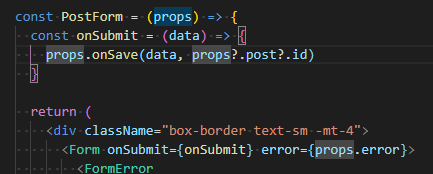
Generated code with the change above (plus some whitespace tweaks):
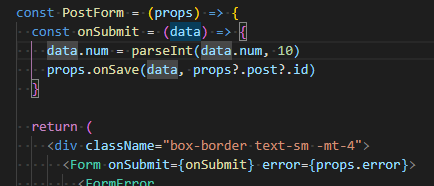
If you are using Redwood Forms and have experienced any <Input /> error about “Expected type X …”, then this example is for you.
See example issue here
And here
Input types validate the value from a user at the time of input. The GraphQL mutation validates the data type it receives from the DOM. But what is missing is actually casting the input type into the data type expected by GraphQL. (Yes, this is confusing indeed. Regardless of input type validation, your form is simply returning a st…
opened 01:59AM - 07 Apr 20 UTC
closed 10:40PM - 21 May 21 UTC
topic/generators-&-scaffolds
topic/forms
Hello nice folks of Redwood, I have run into a bit of a problem with the scaffol… ding, hope you can help me out.
After working my way through the tutorial, I decided to create a small app, grabbed a bunch of json data for it, and decided to go to work.
I edited my `schema.prisma` to look like this:
```js
datasource DS {
provider = "sqlite"
url = env("DATABASE_URL")
}
generator client {
provider = "prisma-client-js"
binaryTargets = env("BINARY_TARGET")
}
model CostOfLiving {
id Int @default(autoincrement()) @id
city String
state String
index Float
grocery Float
housing Float
utilities Float
transportation Float
healthcare Float
misc Float
createdAt DateTime @default(now())
}
model State {
id Int @default(autoincrement()) @id
abbrev String
name String
}
```
And ran and applied the migration with `yarn rw db save` and yarn rw db up`. The tables were created as required. (I can see them in my sqlite3 database).
I ran `yarn rw g scaffold state` to create the forms for states, and entered a new abbreviation-state pair at `http://localhost:8910/states/new`. This worked fine, and the row was added to by sqlite db.
I ran `yarn rw g scaffold CostOfLiving` and went to `http://localhost:8910/costOfLivings/new` (bit funky url, i was expecting `cost-of-living/new`, but that's a question for another time. I entered in my data, and this prompt shows up.
In the console it tells me that the form is trying to convert Float values into Strings, and these are being rejected because sqlite wants data of the `REAL` datatype.
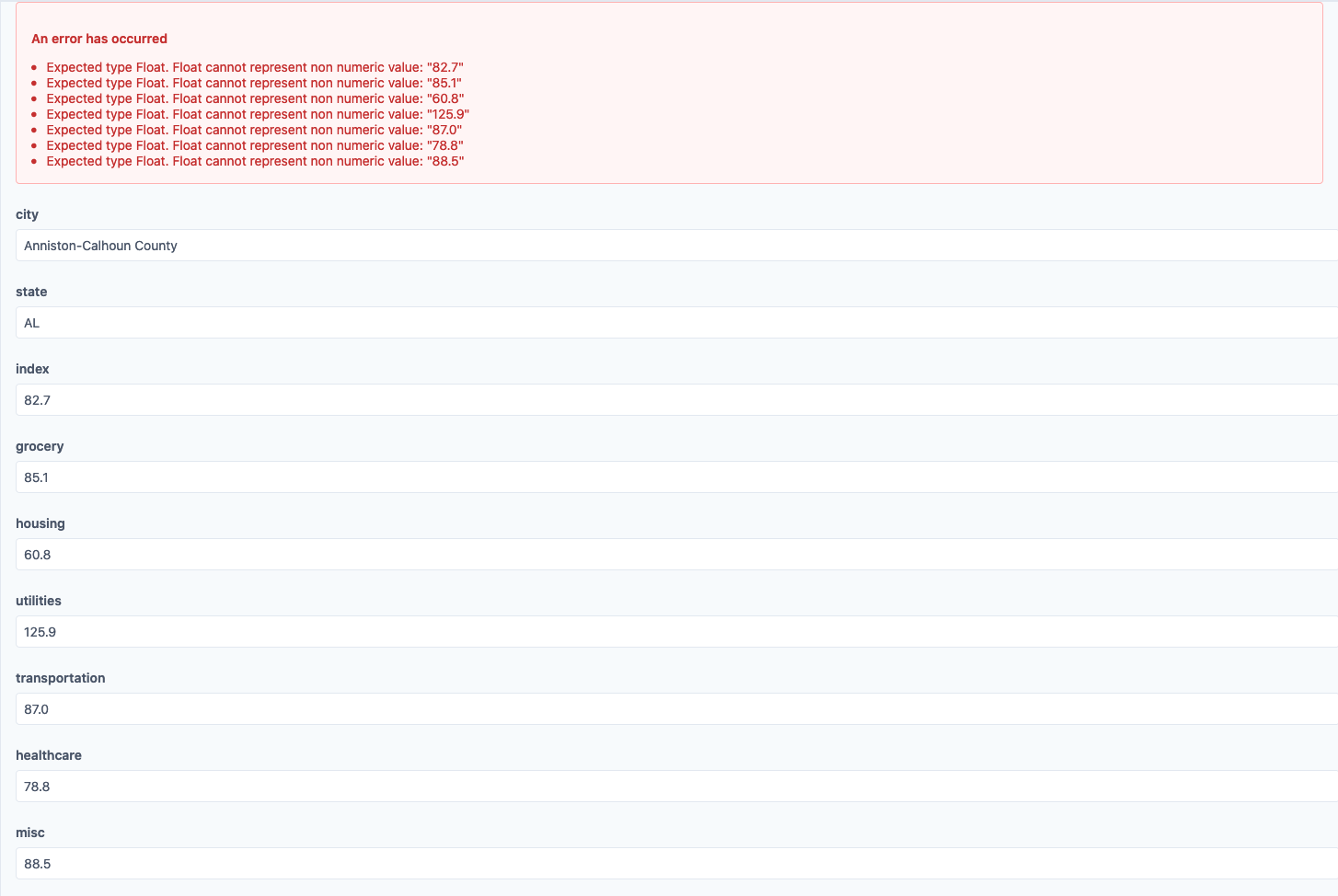
Is there a way to make the scaffolding aware of the underlying data types, or should I go try to parseFloat the form inputs manually?
Thank you in advance!
1 Like